
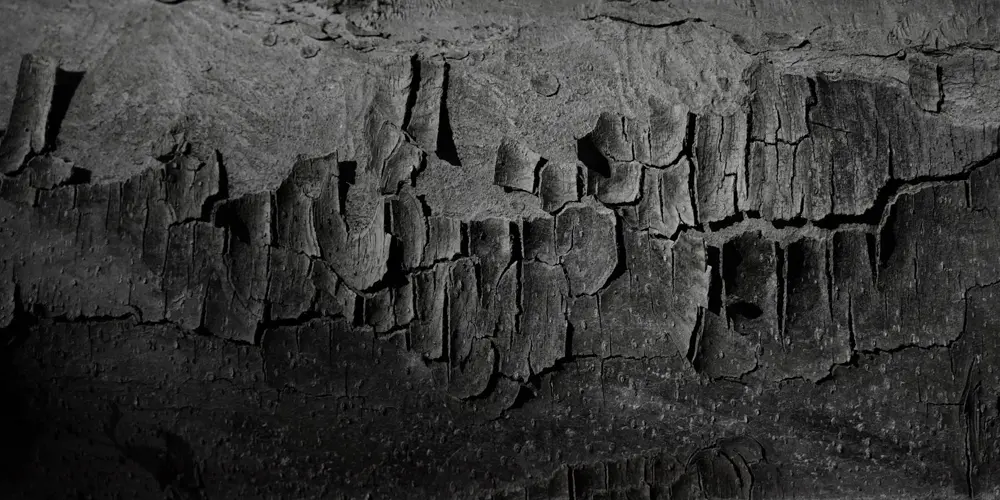
The Visual Allure of Monochrome Fire Wallpapers
There is a unique, primal energy found in the movement of flames. When we observe fire, we are witnessing a dance of heat, light, and chaos. However, when that chaos is stripped of its vibrant reds, oranges, and yellows through a monochrome filter, something transformative happens. A 1080p monochrome fire wallpaper transitions from a mere depiction of heat to a sophisticated piece of digital art. By focusing strictly on the interplay of light and shadow, these wallpapers provide a high-contrast aesthetic that is both calming and intense.
In the modern era of digital customization, users are increasingly moving away from overly saturated, colorful backgrounds in favor of something more refined. A grayscale fire background offers a sense of depth that color often obscures. It allows the eye to focus on the intricate textures of the licking flames, the swirling patterns of smoke, and the glowing intensity of the embers without the distraction of a complex color palette. This makes it an ideal choice for those seeking a minimalist desktop environment.
- Visual Depth: Grayscale emphasizes the 3D texture of smoke and flame.
- Reduced Eye Strain: Darker, monochrome tones are gentler on the eyes during long sessions.
- Professional Aesthetic: A sophisticated look that suits both creative and corporate workspaces.
Why Choose 1080p Resolution for Fire Textures?
When searching for the perfect background, resolution is arguably the most critical technical specification. A 1080p resolution (1920×1080) serves as the industry standard for high-definition displays, ensuring that the fine details of a fire-themed wallpaper remain crisp and clear. Because fire is characterized by high-frequency details—such as the tiny, sparking fragments of embers and the delicate, wispy tendrils of smoke—a low-resolution image will quickly succumb to pixelation and blurriness.
When you use a high-quality wallpaper, you are maximizing the potential of your monitor’s pixel density. In a monochrome setting, every single pixel contributes to the dynamic range of the image. Since you are working within a narrow color spectrum, the nuances between deep charcoal blacks and brilliant, bright whites become the primary drivers of the image’s quality. A 1080p file provides enough data to render these transitions smoothly, preventing ‘banding’—a common issue where color gradients appear as distinct, ugly steps rather than a continuous flow.
The Importance of Bit Depth in Grayscale
Beyond simple resolution, the bit depth of your monochrome fire image plays a vital role. A high-quality grayscale image will utilize a wide range of gray values to ensure that the shadows look deep and the highlights look luminous. This is particularly important for fire photography, where the ‘glow’ effect is central to the viewer’s experience. If the bit depth is too low, your beautiful 1080p fire wallpaper will look muddy and lifeless.
Different Styles of Monochrome Fire Aesthetics
Not all fire wallpapers are created equal. Depending on your personal taste, the ‘mood’ of your desktop can change drastically based on the specific style of the imagery you select. Exploring the different sub-genres of monochromatic fire can help you find the exact vibe you want for your digital space.
Minimalist Embers and Sparks
For those who prefer a clean, uncluttered workspace, minimalist ember wallpapers are the gold standard. Instead of a roaring bonfire, these images often feature a dark background with a few scattered, glowing sparks or a single, dying coal. This style is perfect for users who keep many icons on their desktop, as it provides a sense of atmosphere without creating visual noise that makes icons difficult to locate.
Dramatic Cinematic Flames
If you want your setup to feel powerful and intense, cinematic fire wallpapers are the way to go. These images often feature large, sweeping motions of flame, captured with a fast shutter speed to freeze the movement or a slow shutter speed to create a motion blur effect. In monochrome, these shots look like stills from a high-budget noir film, offering a sense of drama and high-stakes energy that is hard to replicate with color.
Abstract Smoke and Heat Patterns
Sometimes, the best fire wallpaper doesn’t even show the flames themselves. Abstract smoke photography focuses on the fluid dynamics of rising heat. The swirling, nebulous shapes created by smoke in a monochrome format can look remarkably like cosmic nebulae or marble textures. This is a more subtle approach, providing a background that is highly artistic and intellectually stimulating without being overtly literal.
How to Optimize Your Desktop with Dark Themes
Choosing a 1080p monochrome fire wallpaper is often the first step in building a complete dark mode ecosystem on your computer. There is a significant psychological and physiological benefit to using dark-themed backgrounds, especially for those who spend hours in front of a screen.
First, let’s discuss eye fatigue. Bright, white backgrounds emit a significant amount of light that can cause squinting and strain over long periods. By opting for a dark, grayscale background, you reduce the overall luminance of your display, which is much more comfortable for the eyes, particularly in low-light environments. This is often referred to as ‘reducing blue light impact,’ although the primary benefit here is the reduction of total brightness.
Second, a dark theme enhances productivity and focus. A colorful, distracting wallpaper can pull your attention away from your primary tasks. A monochrome fire background, while beautiful, is much more ‘passive.’ It provides an aesthetic backdrop that complements your work rather than competing with it. To fully optimize your setup, consider matching your wallpaper with:
- Dark Mode UI: Enable dark mode in your operating system (Windows, macOS, or Linux).
- Minimalist Icon Packs: Use icons that are white, gray, or translucent to blend into the background.
- Low-Contrast Folder Colors: Keep your file organization subtle to maintain the aesthetic.
Finding the Perfect High-Definition Grayscale Backgrounds
To find the best 1080p monochrome fire wallpapers, you should look for sources that offer high-bitrate files. Many generic wallpaper sites compress images heavily to save bandwidth, which destroys the very details—the micro-textures of the smoke and the sharpness of the sparks—that make monochrome photography so compelling.
When searching, use specific terms like ‘high-contrast grayscale fire’ or ‘black and white flame photography’ to filter out mediocre results. Look for photographers who specialize in long-exposure or macro photography, as these disciplines produce the most striking results when converted to monochrome. Always ensure that the aspect ratio matches your monitor (most commonly 16:9 for 1080p) to avoid stretching or awkward cropping that could ruin the composition.
Conclusion
A 1080p monochrome fire wallpaper is more than just a background; it is a tool for setting the mood of your digital life. Whether you are looking for the intense drama of cinematic flames or the quiet elegance of minimalist embers, the transition to grayscale offers a level of sophistication that color simply cannot match. By prioritizing high resolution and high contrast, you can create a workspace that is visually stunning, easy on the eyes, and perfectly tailored to a modern, dark-themed aesthetic.
Frequently Asked Questions
What is the best way to prevent pixelation in a monochrome fire wallpaper?
To prevent pixelation, always ensure you are downloading the native resolution of your monitor. For a standard HD screen, this means a minimum of 1920×1080. Additionally, look for files with high compression quality (such as high-quality JPEGs or PNGs) to preserve the fine details of the smoke and sparks.
Does a dark wallpaper actually help reduce eye strain?
Yes, generally speaking. Darker backgrounds emit less light, which can reduce the intensity of the light hitting your retinas. This is particularly helpful in dimly lit rooms, as it reduces the harsh contrast between your screen and your surrounding environment, making it easier for your eyes to adjust.
Can I use a 1080p wallpaper on a 4K monitor?
You can, but it may not look as sharp as a native 4K image. While modern operating systems use scaling to make 1080p images fit 4K screens, the image will technically be ‘upscaled,’ which can lead to a slight loss in crispness. For the best results on a 4K display, look for 3840×2160 wallpapers.
Why does monochrome fire look better than color fire for some people?
This is largely due to the concept of visual noise. Color can be distracting and can mask the subtle textures of the subject. By removing color, the viewer’s attention is directed solely toward the shapes, light, and shadows, which can create a more meditative and artistic experience.
How do I find unique fire textures that aren’t just stock photos?
Try searching for specific photography styles like ‘macro fire photography’ or ‘long exposure smoke patterns’ on professional photography platforms. This will lead you toward more artistic, high-end imagery rather than generic, overly-processed stock images.
Related posts:
Collections like this one connect to a bigger 1080p-wallpaper library — 1080p Yellow Butterfly Wallpaper: HD Nature Backgrounds is a good thread to pull next.
Save your favourites and share the rest — good wallpapers travel fast.
