

4K Wallpapers for MacBook & iMac: Stunning Visuals
Apple’s MacBook and iMac lines are renowned for their stunning Retina displays. To truly appreciate the clarity and vibrancy these screens offer, you need visuals that match their quality. This is where 4K wallpapers come in. A high-resolution image transforms your desktop into a captivating showcase, enhancing your overall computing experience. But finding the perfect wallpaper can be a challenge. This guide explores the benefits of using 4K wallpapers on your Apple devices, where to find them, and tips for choosing images that complement your style.
The leap from standard HD to 4K resolution is significant. 4K (3840 x 2160 pixels) boasts four times the pixels of 1080p HD, resulting in incredibly detailed and sharp images. On a Retina display, this difference is even more pronounced, as the increased pixel density eliminates any visible pixelation, creating a smooth and immersive visual experience.

Why Choose 4K Wallpapers for Your Apple Device?
Beyond the obvious visual improvement, there are several compelling reasons to opt for 4K wallpapers:
- Enhanced Clarity: 4K resolution ensures images appear crisp and detailed, even on larger displays.
- Improved Aesthetics: High-quality wallpapers elevate the overall look and feel of your desktop.
- Immersive Experience: Detailed visuals can create a more engaging and immersive computing environment.
- Future-Proofing: As display technology continues to advance, 4K wallpapers will remain relevant and visually appealing.
- Showcase Your Display: A beautiful wallpaper truly lets you appreciate the quality of your MacBook or iMac’s screen.
Where to Find High-Quality 4K Wallpapers
Numerous online resources offer a vast selection of 4K wallpapers. Here are some popular options:
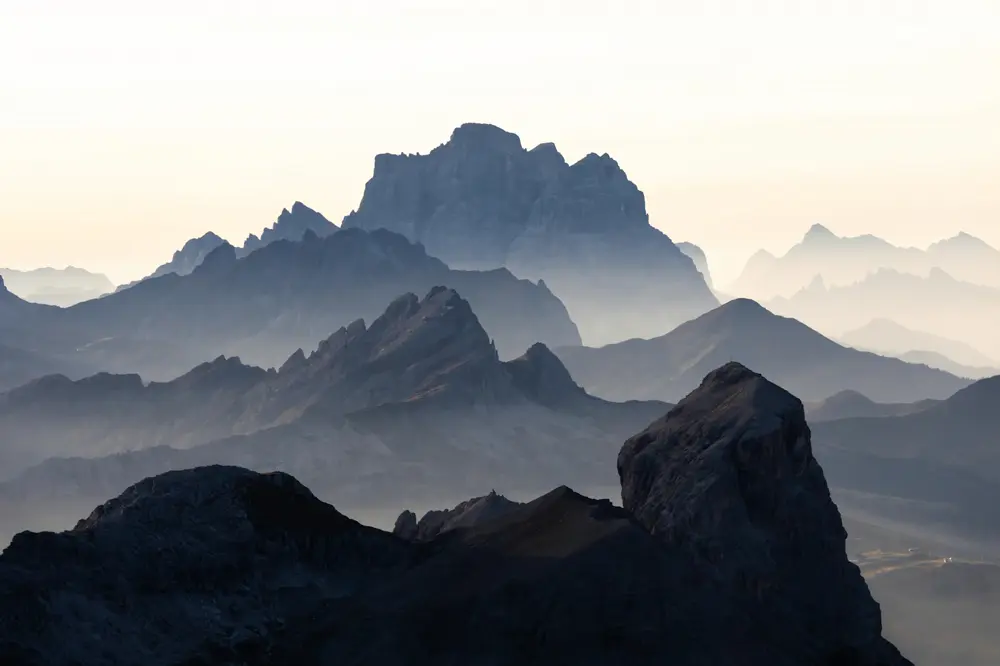
- Unsplash: A fantastic source of free, high-resolution photos, including a wide variety of 4K options.
- Pexels: Similar to Unsplash, Pexels provides a large library of free stock photos and videos in 4K.
- Pixabay: Another excellent resource for free images, including 4K wallpapers.
- Wallhaven: A dedicated wallpaper website with a strong focus on high-resolution images and a vibrant community.
- Desktop Wallpaper HD: Offers a curated collection of 4K wallpapers categorized by theme and style.
When browsing these sites, pay attention to the image dimensions to ensure they are truly 4K (3840 x 2160 pixels). Many sites offer images in various resolutions, so double-check before downloading. Consider exploring different categories to find images that resonate with your personal preferences. If you’re looking for something specific, utilize the search function on these platforms.
Choosing the Right Wallpaper for Your Style
Selecting a wallpaper is a personal choice, but here are some tips to help you find the perfect fit:

- Consider Your Desktop Icons: Choose a wallpaper that doesn’t clash with your desktop icons or make them difficult to see.
- Match Your Mood: Select images that evoke the emotions you want to feel while working or relaxing.
- Embrace Minimalism: Simple, uncluttered wallpapers can create a clean and focused desktop environment.
- Explore Different Themes: Experiment with landscapes, abstract art, cityscapes, or nature photography to find what appeals to you.
- Dark vs. Light: Dark wallpapers can reduce eye strain in low-light conditions, while light wallpapers can brighten up your workspace.
Don’t be afraid to change your wallpaper regularly to keep your desktop feeling fresh and inspiring. A new image can provide a subtle boost to your creativity and productivity. You might even find inspiration in photography and try creating your own wallpapers!
Optimizing 4K Wallpapers for macOS
Once you’ve downloaded a 4K wallpaper, setting it as your desktop background is straightforward on macOS:

- Right-click on the downloaded image file.
- Select “Set Desktop Picture” from the context menu.
- Alternatively, open System Preferences > Desktop & Screen Saver.
- Click the “+” button to add the image to your desktop picture folder.
- Choose the image from the list and select your desired fill option (Fill Screen, Fit to Screen, Stretch to Fill Screen, Center, Tile).
Experiment with the different fill options to find the one that best suits the image and your display. “Fill Screen” generally provides the best results for 4K wallpapers, ensuring the image is scaled to fit your screen without distortion. If you’re experiencing performance issues, consider using a slightly less detailed image or reducing the number of desktop widgets.
Beyond Static Images: Dynamic Wallpapers
For a more dynamic experience, consider using dynamic wallpapers. These wallpapers change throughout the day, adapting to the time of day or your activity. macOS includes several built-in dynamic wallpapers, and you can also find third-party apps that offer a wider range of options. Dynamic wallpapers can add a touch of personality and visual interest to your desktop.

Conclusion
Investing in 4K wallpapers is a simple yet effective way to enhance the visual experience on your Apple MacBook or iMac. With a wealth of free resources available online, finding stunning images to suit your style is easier than ever. By following the tips outlined in this guide, you can transform your desktop into a captivating showcase that truly complements the quality of your Apple device. Remember to regularly update your wallpaper to keep your workspace feeling fresh and inspiring. A well-chosen image can significantly improve your overall computing experience.
Frequently Asked Questions
What is the ideal resolution for a MacBook Pro 16-inch Retina display?
The ideal resolution is 3072 x 1920 pixels. While 4K (3840 x 2160) images will work, they may be slightly downscaled by macOS. Using images closer to the native resolution ensures optimal clarity and performance.
Can using 4K wallpapers slow down my older iMac?
It’s possible, but unlikely to be significant. Older iMacs with less powerful processors and graphics cards might experience a slight performance decrease when handling very large images. If you notice slowdowns, try using a less detailed wallpaper or reducing the number of desktop widgets.
Where can I find wallpapers specifically designed for the dark mode on macOS?
Many wallpaper websites, like Wallhaven, allow you to filter by color scheme. Search for “dark” or “black” wallpapers to find images that complement macOS’s dark mode. Also, consider wallpapers with a lot of black or dark gray tones.
Are there any tools to automatically change wallpapers on a schedule?
Yes, several apps are available for macOS that allow you to automatically change wallpapers on a schedule. Popular options include Wallpaper Wizard 2 and Dynamic Wallpaper Club. These apps can cycle through a folder of images or download new wallpapers from various sources.
How do I ensure a wallpaper looks good on both my iMac and MacBook?
Choose wallpapers with a relatively simple composition and avoid images with important details concentrated in the corners. This will help ensure the wallpaper looks good regardless of the screen size or aspect ratio. Using the “Fill Screen” option in macOS’s desktop settings can also help.
Related posts:



Found a favourite here? 4K Wallpapers for Android: Stunning Visuals is the natural next stop on this trail.
Know someone whose screen needs a refresh? Pass this link along.
