
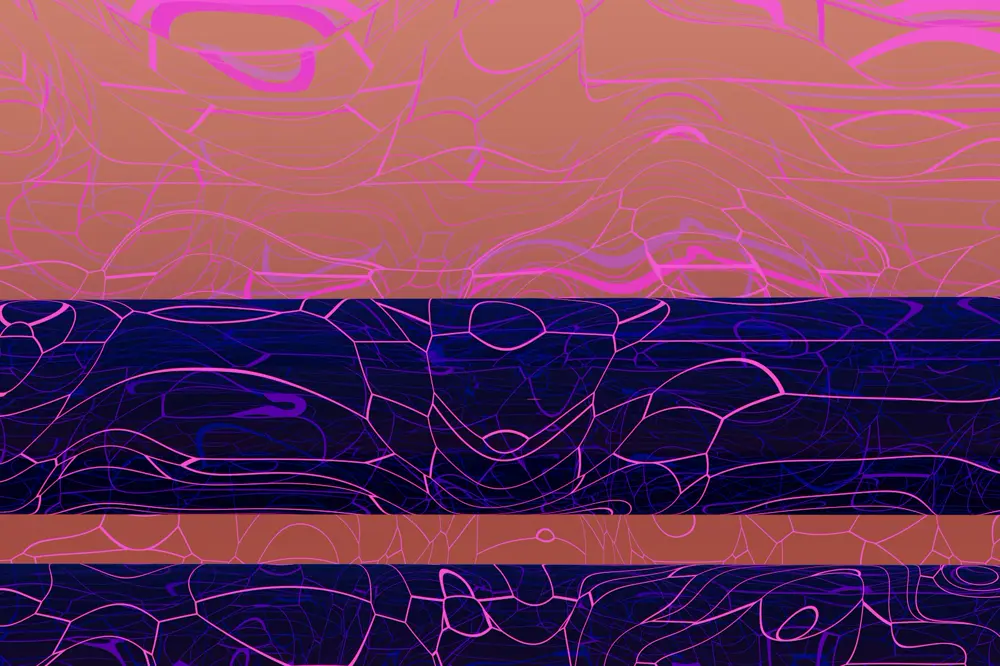
4K Wallpapers: Stunning Images for iPhone & iPad
In today’s world, our smartphones are more than just communication devices; they’re extensions of our personalities. A significant part of expressing that personality is through customization, and nothing impacts the visual appeal of a device quite like a beautiful wallpaper. With the advent of high-resolution displays on iPhones and iPads, the demand for stunning, high-quality wallpapers has skyrocketed. This article explores the world of 4K wallpapers, why they matter, where to find them, and how to optimize them for your Apple devices.
The leap to 4K resolution (3840 x 2160 pixels) has dramatically improved the clarity and detail of images on our screens. While iPhones and iPads don’t all have 4K displays, using 4K wallpapers ensures that even on lower-resolution screens, the image remains sharp and visually appealing. It also future-proofs your device, ensuring that when you upgrade to a 4K display, your wallpapers are already ready.

Why Choose 4K Wallpapers?
The benefits of using 4K wallpapers extend beyond just aesthetics. Here’s a breakdown of why they’re a worthwhile upgrade:
- Enhanced Visual Clarity: 4K wallpapers provide a significantly sharper and more detailed image, especially noticeable on Retina displays.
- Future-Proofing: As display technology advances, 4K is becoming the standard. Having 4K wallpapers ensures your device looks its best, regardless of future upgrades.
- Improved User Experience: A visually appealing wallpaper can enhance your overall user experience, making your device more enjoyable to use.
- Showcase Device Capabilities: High-resolution wallpapers truly showcase the capabilities of your iPhone or iPad’s display.
Where to Find High-Quality 4K Wallpapers
Numerous online resources offer a vast collection of 4K wallpapers. Here are some popular options:
- Unsplash: A fantastic source for free, high-resolution photos, many of which are available in 4K.
- Pexels: Similar to Unsplash, Pexels offers a wide range of free stock photos and wallpapers.
- Pixabay: Another excellent resource for free images, including 4K wallpapers.
- Wallhaven: A dedicated wallpaper website with a large collection of 4K and other high-resolution wallpapers.
- Zedge: A popular app for ringtones and wallpapers, offering a variety of 4K options.
When choosing a wallpaper, consider the subject matter and how it complements your device’s overall aesthetic. Landscapes, abstract art, and minimalist designs are all popular choices. You might also consider how the wallpaper interacts with your icons and widgets. Sometimes, a simpler background allows your apps to stand out more effectively. If you’re looking for inspiration on how to personalize your device, you could explore iphone customization ideas.
Optimizing 4K Wallpapers for Your iPhone and iPad
While 4K wallpapers look great, it’s important to optimize them for your specific device to ensure optimal performance and battery life. Here’s how:
- Image Size: While 4K resolution is ideal, extremely large file sizes can slow down your device. Try to find wallpapers that are reasonably sized (under 5MB is a good guideline).
- File Format: JPEG is a common and efficient file format for wallpapers.
- Compression: If the file size is too large, consider compressing the image slightly without sacrificing too much quality.
- Perspective: Consider how the wallpaper will look with your icons and widgets. Choose images that won’t obscure important information.
Setting a 4K Wallpaper on Your iPhone or iPad
Setting a 4K wallpaper on your iPhone or iPad is a straightforward process:
- Download the Wallpaper: Download the 4K wallpaper you want to use from one of the sources mentioned above.
- Save to Photos: Save the image to your Photos app.
- Open Settings: Open the Settings app on your device.
- Tap Wallpaper: Tap on “Wallpaper.”
- Tap Add New Wallpaper: Tap on “Add New Wallpaper.”
- Select the Wallpaper: Select the 4K wallpaper you downloaded from your Photos library.
- Customize Perspective: Adjust the perspective and zoom level to your liking.
- Set as Wallpaper: Tap “Set” and choose whether you want to set it for your Lock Screen, Home Screen, or both.
The Impact of Wallpapers on Battery Life
While the impact is generally minimal, using live wallpapers or wallpapers with constantly changing colors can consume more battery life than static images. If battery life is a concern, opting for a darker, static 4K wallpaper is a good choice. Darker colors require less power to display. You can also explore battery saving tips for your iPhone or iPad to further extend its runtime.
Beyond Static Images: Live Wallpapers
Live wallpapers add a dynamic element to your device’s display. These wallpapers feature subtle animations or movements. While they look stunning, they can consume more battery life than static wallpapers. If you’re interested in live wallpapers, explore options available in the App Store. Be mindful of the battery impact and choose live wallpapers that are optimized for performance.
Conclusion
4K wallpapers are a fantastic way to enhance the visual appeal of your iPhone or iPad. With a wealth of resources available online, finding the perfect wallpaper to suit your style is easier than ever. By optimizing your wallpapers for your device and being mindful of battery life, you can enjoy a stunning and personalized user experience. Investing a little time in finding and setting the right wallpaper can make a significant difference in how you perceive and interact with your device every day.
Frequently Asked Questions
-
What is the best website to download 4K wallpapers?
Unsplash, Pexels, and Pixabay are excellent choices for free, high-quality 4K wallpapers. Wallhaven also offers a vast selection. The best option depends on your personal preferences and the type of images you’re looking for.
-
Will a 4K wallpaper slow down my older iPhone?
It’s possible, but unlikely to be significant. Older iPhones have less processing power. Very large file sizes could cause some slowdown, so it’s best to choose reasonably sized 4K wallpapers (under 5MB). Optimizing the image can help.
-
How do I make sure a wallpaper fits my iPhone screen properly?
When setting the wallpaper, iOS allows you to adjust the perspective and zoom level. Experiment with these settings to ensure the wallpaper is cropped and positioned to your liking. You can also choose from options like “Still,” “Perspective,” and “Motion.”
-
Are live wallpapers worth the battery drain?
That depends on your priorities. Live wallpapers are visually appealing, but they do consume more battery life than static images. If battery life is a major concern, a static 4K wallpaper is a better choice. If you enjoy the dynamic effect and don’t mind the slight battery drain, go for it!
-
Can I use any image as a wallpaper on my iPhone?
Yes, you can use almost any image as a wallpaper. However, for the best results, choose images with a high resolution (ideally 4K) to avoid pixelation or blurriness. Ensure the image is in a compatible format (JPEG, PNG).
Related posts:


If these hit the mark, 4K Wallpapers for Tablets: Stunning Visuals keeps the streak going with more 4k-wallpapers picks.
Know someone whose screen needs a refresh? Pass this link along.
